
DearMob iPhone Manager is iOS transfer, backup and device-management software for Windows and Mac, built for moving and organizing iPhone and iPad photos, videos, music, contacts, messages, apps, files and other personal data without relying on iTunes for routine management.
Quick Summary
DearMob iPhone Manager combines two-way iPhone file transfer with full and selective backup, restore, device migration, media conversion, contact and message management, encrypted exports and desktop access to more than 15 categories of iOS content.
- Best for
- iPhone transfer · iOS backup and restore · iPhone-to-iPhone migration · photo and video management · music transfer · contacts · SMS · files · app data
- Platforms
- Windows 11 / 10 / 8.1 / 8 / 7 · macOS 10.9 or later · current vendor compatibility includes iOS 26 and iPhone 17-series devices
- License
- Windows and Mac licenses sold separately · Lifetime and Premium 365 options · supplied plans cover between 1 and 5 desktop computers depending on the offer
- Key limitation
- Desktop license count, operating system and plan duration matter; the free version also uses a daily credit system instead of providing unrestricted full-version transfers

DearMob iPhone Manager Pricing, Discount Code & License Options
The checkout links below already contain the supplied promotional parameters. The eligible price is applied through the corresponding purchase path, so no coupon string needs to be copied from this page or entered manually.
DearMob offers separate Windows and Mac licenses. Lifetime plans remove the annual license-duration decision, while Premium 365 covers the stated number of computers for one year. Some Windows offers also add bundled software, so compare both the desktop-device count and package contents before purchasing.
Windows Purchase Options
DearMob iPhone Manager Lifetime Licenses
Lifetime Windows licensing with options for two PCs, two-to-five PCs, or one PC bundled with additional software gifts.

Bonus gifts: Image Matting 6-month license, 5KPlayer Full Version and VideoProc Vlogger Full Version.
DearMob iPhone Manager Premium 365
One-year licensing for three Windows PCs.
VideoProc Converter AI + DearMob iPhone Manager
Lifetime one-PC package combining DearMob iPhone Manager with VideoProc Converter AI.
Mac Purchase Options
DearMob iPhone Manager Mac Licenses
Separate Mac licensing with Lifetime and Premium 365 options.

Can This Software Do What I Need?
DearMob is most relevant when you want direct control over individual iPhone files, backups and migration instead of treating every device-management job as one complete synchronization operation.
-
I want to copy iPhone photos, videos or music to my computer without syncing the entire device
Selective media transfer
SupportedDearMob lets you select individual photos, albums, videos or songs and export them to the computer or external storage instead of requiring a complete device sync.
-
I want a full iPhone backup but also need selective backup and restore
Flexible backup workflow
SupportedDearMob supports complete device backup and restore as well as selective handling of specific data categories, with the backup destination configurable on the computer or external storage.
-
I am moving from an old iPhone to a new iPhone or iPad
Device migration
SupportedThe product includes migration and restore workflows intended to move supported content between iOS devices, including a 1:1 migration path documented by DearMob.
-
I want to transfer HEIC photos to a computer but need JPEG copies for compatibility
HEIC photo management
SupportedDearMob can retain original HEIC files or convert supported HEIC images to JPEG during the applicable transfer workflow while preserving available photo information such as metadata and timestamps.
-
I need to manage contacts, SMS, calendars, books, podcasts, voice memos or files from a larger desktop interface
iOS content management
SupportedDearMob provides separate management areas for these content types, allowing supported items to be viewed, exported, imported, edited or deleted according to the specific category.
-
I want to protect local backups, photos, videos or contacts with a password
Encrypted data storage
SupportedDearMob documents password encryption for iDevice backups and supported exported files using multiple encryption components including RSA, AES, PBKDF2 and Argon2.
-
I want wireless transfer instead of keeping my iPhone connected by USB
Wi-Fi device management
SupportedDearMob supports Wi-Fi as well as USB for documented transfer workflows after the required device connection and trust setup. USB remains the more predictable choice for very large transfers.
-
I need to recover permanently deleted iPhone files that are not present in a backup
Deleted-data recovery
Different toolDearMob is primarily a transfer, management, backup and restore product. Its restore features work with available backups; it should not be confused with forensic-style deleted-data recovery software that scans device storage for previously deleted records.
How It Works
Connect the iPhone or iPad, choose the content category or backup function you need, make the intended changes and then complete the transfer, backup, restore or synchronization step.
Connect an iPhone or iPad
- Install and open DearMob iPhone Manager on the licensed Windows PC or Mac.
- Connect the iPhone or iPad and approve the device's Trust This Computer request when prompted.
- Wait for DearMob iPhone Manager to read the available device information and content categories.
- Choose USB for the most direct connection or configure the documented Wi-Fi workflow when wireless management is preferred.
Transfer Photos, Videos or Music
- Open Photo Transfer, Video or Music according to the content you want to move.
- Select individual items, albums or a larger group rather than transferring unrelated data automatically.
- Use Export to copy selected iPhone content to the computer, or Add / Import when supported local files should be sent to the iOS device.
- Apply compatible format-conversion options when a source file needs to be converted for the target device or computer workflow.
Create an iPhone Backup
- Open Backup & Restore in DearMob iPhone Manager.
- Choose the appropriate full or selective backup workflow for the data that needs protection.
- Select or change the backup destination when the backup should be stored outside the default local path.
- Enable backup encryption when password protection is required, then begin the backup and keep the device connected until completion.
Restore or Migrate to Another iPhone
- Connect the destination iPhone or iPad and open Backup & Restore.
- Choose the relevant DearMob backup or migration workflow.
- Select the supported data that should be restored or transferred rather than assuming every stored category must be copied.
- Begin the restore or migration and avoid disconnecting either required device during the operation.
Manage iPhone Files from the Desktop
- Open the relevant content section such as Files, Contacts, SMS, Book, Podcast, Voice, Calendar or App.
- Review the items available in that category.
- Use the supported export, add, edit, rename or delete controls for the task being performed.
- Complete Sync where the specific content-management module requires synchronization before the changes are applied to the device.
Product Interface & Workflow
DearMob iPhone Manager organizes iOS management by content type, so transferring photos, editing contacts, backing up a device and moving app files remain separate operations instead of being forced into one all-or-nothing sync.
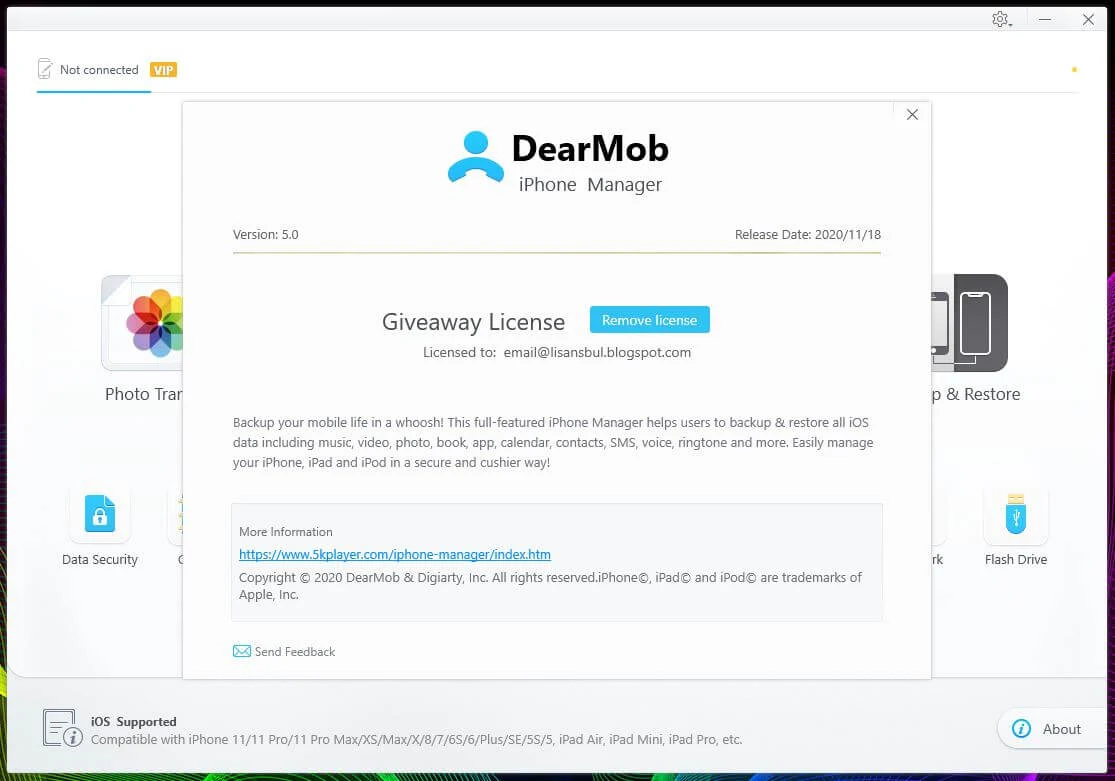
The home screen provides direct routes into the major jobs: photo transfer, music, video, backup and restore, files and other iOS-data categories. This structure is useful when only one type of content needs attention because there is no need to begin a complete device synchronization first.
Photo management supports album-based selection, export, import and supported HEIC conversion. Music management adds playlists, metadata editing, ringtone creation and conversion of incompatible audio to Apple-friendly formats, while Video can convert supported incompatible media during transfer and provides options for large 4K video libraries.
The management modules extend beyond media: Contacts can be edited and deduplicated, SMS can be exported with conversation media, Files exposes compatible app documents, and separate areas handle apps, books, podcasts, voice memos, calendars, bookmarks and flash-drive-style storage.
Compatibility & Coverage
The current DearMob technical specification covers modern Windows and macOS systems, current iOS releases and a broad range of iPhone, iPad and iPod touch hardware.
| Area | Current documented coverage | Buyer note |
|---|---|---|
| Windows | Windows 11 · Windows 10 · Windows 8 / 8.1 · Windows 7 · 32/64-bit | Choose one of the Windows checkout products supplied for this page. |
| macOS | OS X 10.9 Mavericks through macOS 26.0 Tahoe | The current vendor specification also states native Apple silicon support. |
| iOS / iPadOS | iOS 7 through iOS 26 on the current technical specification | Device support remains subject to the actual iPhone or iPad model and the function being used. |
| Current iPhone family | Vendor list includes iPhone 17 · 17 Pro · 17 Pro Max · iPhone Air and earlier supported generations | The main product page currently advertises iPhone 17-series compatibility. |
| iPad | Multiple iPad, iPad mini, iPad Air and iPad Pro generations including current vendor-listed models | Check the current technical list when working with a specific older model. |
| Connection | USB and documented Wi-Fi workflows | USB is generally the more predictable option for very large transfers or unstable networks. |
| Managed content | Photos · Music · Videos · Backups · Contacts · SMS · Podcasts · Files · Apps · Books · Voice · Calendars · Bookmarks and additional categories | Specific operations vary by data type and Apple's current device restrictions. |
| iTunes requirement | DearMob technical specification states no iTunes is needed | The product is intended to provide its own transfer and management interface. |
Features & Capabilities
DearMob covers three related jobs in one desktop application: moving individual iOS files, maintaining selected device content and creating restorable copies of important data.
Photo Transfer & HEIC Management
- Export iPhone and iPad photos to a Windows PC, Mac or supported external storage
- Import supported photos without replacing unrelated existing libraries
- Manage photos by albums and documented photo categories
- Keep HEIC files or convert supported HEIC photos to JPEG
- Preserve available photo metadata and timestamps during documented transfer workflows
- Bulk-delete selected photos from supported devices
Music, Video & Ringtones
- Two-way music transfer between iOS devices and computers
- Create and manage music playlists
- Edit supported song information
- Convert OGG, FLAC, WMA and WAV to supported MP3/AAC formats during applicable transfers
- Transfer large and 4K video files
- Convert supported incompatible video formats to Apple-friendly MOV or MP4
- Create custom ringtones from compatible music
Backup, Restore & Migration
- Full iPhone and iPad backup
- Selective backup for chosen data categories
- Restore from available DearMob backups
- Change the backup storage location
- Store backups on supported external drives
- Device migration and iPhone-to-iPhone transfer workflows
- Documented option to preserve supported app data during relevant restore operations
Contacts, Messages & Calendars
- Export, import and manage supported iPhone contacts
- Detect and merge duplicate contacts
- Export contacts in supported VCF, PDF, TXT and HTML formats
- Back up and export iMessage and SMS conversations
- Export supported conversation photos and videos
- Add, edit, back up and transfer calendar events
Apps, Files & Flash Drive Mode
- Manage supported apps from the desktop
- Access files exposed by compatible file-sharing apps
- Transfer documents, spreadsheets and presentation files
- Create folders and organize supported local iOS files
- Use the iPhone or iPad as storage for supported files through the Flash Drive function
- Import and export compatible app documents without treating the entire device as one sync library
Books, Podcasts, Voice Memos & Bookmarks
- Manage EPUB, PDF, M4B and supported audiobook content
- Export supported EPUB content to PDF, TXT or HTML
- Transfer and manage podcast episodes and documented iTunes U content
- Export voice memos to the computer
- Manage supported Safari bookmarks
- Import compatible media to the corresponding iOS content areas
Encryption & Privacy Controls
- Password-protect supported iDevice backups
- Encrypt supported photos, videos and contacts
- Encrypt local files before storage or sharing
- Vendor documents 1024-bit RSA, 256-bit AES, PBKDF2 and Argon2 among the encryption technologies used
- Decrypt previously protected files with the correct password
Important Conditions & Limitations
The main buying checks are the operating-system-specific license, computer count and whether the required job is transfer or backup rather than deleted-data recovery.
Windows and Mac Checkout Products Are Separate
The supplied Windows and Mac plans use different product IDs. Purchase the operating-system-specific license that matches the computers where DearMob will be installed instead of assuming a Windows checkout also grants a Mac license.
Premium 365 and Lifetime Are Different License Models
Premium 365 in the supplied offers is a one-year license for three PCs or three Macs. Lifetime offers are identified separately and cover the desktop-device count stated in the individual purchase box.
The Free Version Uses Daily Credit Points
The vendor currently provides 100 free credit points per day. Different transfer and backup operations consume different numbers of points, so the free edition is suitable for evaluation but is not equivalent to unrestricted Full Version usage.
DearMob Is Not a Raw Deleted-Data Recovery Scanner
Backup Restore can recover information that exists in an available backup, but the product's central workflow is file management, transfer, backup and migration. Do not buy it solely for forensic recovery of permanently deleted iPhone storage with no usable backup.
Cloud Files Are Not Exposed Like Local Device Files
DearMob's Files guide states that the File manager handles local files available through the device and compatible apps; it does not provide general direct access to arbitrary cloud-stored files through that module.
Wi-Fi Performance Depends on the Network
Wireless transfer is available for documented workflows, but network quality affects speed and stability. DearMob's own file-management guidance recommends USB when large transfers would otherwise be slowed or interrupted by Wi-Fi conditions.
App Management Is Subject to iOS Restrictions
DearMob provides app-management and app-file functions, but Apple's operating-system restrictions determine what third-party desktop software can access, install, back up or restore for a specific app and iOS release.
Gift and Bundle Offers Are Not the Same Product Package
The supplied 1-PC Lifetime + Gifts checkout includes additional software, while the VideoProc Converter AI + DearMob offer is a separate two-product Lifetime bundle. Their contents should not be assumed to apply to the ordinary standalone DearMob licenses.
Free Trial / Free Version
DearMob provides a permanent free version with a daily credit allowance, letting users try its actual transfer and backup functions before purchasing unrestricted Full Version access.
| Trial / free point | Current documented status | Purchase relevance |
|---|---|---|
| Free version | Available for Windows and Mac | No prior registration or credit card is required to start evaluating the free edition. |
| Daily allowance | 100 Credit Points per day | Credits are consumed by supported operations, so intensive transfers and repeated backups can reach the free daily limit. |
| Photo operations | Vendor comparison lists credit use per transferred photo | The free version can demonstrate photo transfer and management but remains usage-limited. |
| Backup operations | Full or selective backup consumes a larger part of the daily credit allowance | Regular backup use is a stronger reason to compare the unrestricted paid licenses rather than relying on daily credits. |
System Requirements
The current DearMob technical specification publishes both Windows and Mac host requirements together with the supported iOS range and minimum desktop hardware.
| Requirement | Current documented value | Notes |
|---|---|---|
| Windows | Windows 11 / 10 / 8.1 / 8 / 7 · 32/64-bit | Current DearMob technical specification. |
| macOS | OS X 10.9 Mavericks through macOS 26.0 Tahoe | Native Apple silicon support is currently documented. |
| Supported iOS | iOS 7 through iOS 26 | The current product page separately highlights iOS 26 and iPhone 17-series support. |
| Display | 1280 × 800 or above | Published for both Windows and Mac in the current specification. |
| CPU | Pentium IV 2.4 GHz or above | This is the vendor's published desktop requirement. |
| RAM | 1 GB system memory | Published minimum in the current technical specification. |
| Hard disk | 200 MB application space | Additional storage is required for photos, videos and device backups exported to the computer. |
| iTunes | Not required by DearMob | The vendor's current Windows and Mac specification states “No iTunes needed.” |
Alternatives & Better-Fit Options
The supplied alternatives remain in the iPhone transfer and management category, allowing the licensing and device-management workflow to be compared without moving to unrelated software categories.
MacX MediaTrans
Compare MacX MediaTrans when the main requirement is iPhone media transfer, photo and music management and related iOS content handling through another Digiarty desktop product.
WinX MediaTrans
Consider WinX MediaTrans when you want another iPhone transfer utility focused on moving and managing media between an iOS device and a desktop computer.
AnyMP4 iPhone Transfer Pro
Compare AnyMP4 iPhone Transfer Pro when you want another Windows/Mac iOS transfer product for photos, music, videos, contacts and related device content before choosing a license.
Aiseesoft FoneTrans
Compare Aiseesoft FoneTrans when the buying decision centers on another cross-platform phone-transfer workflow for moving and organizing iOS content between devices and computers.

Giveaway: DearMob iPhone Manager v5.4 Key Free Download - DearMob - Backup/transfer iOS data with utmost flexibility and security. Full backup iPhone to iPhone
ReplyDeleteSupport 1-click to backup & restore whole iPhone iPad data, easily switch to new iPhone/iPad. No iTunes needed; No file erasing!
How to Activate DearMob iPhone Manager License Code 2022
DearMob iPhone Manager Register Code for Windows: CCSYZ-ALMDN-OQAPF-RK5GB
Register Code for Mac: CDAVP-BSNLJ-MS2DG-G7XBO
Get access to features in current version!
Support the latest iOS 15.1, iPhone 13..
Step 1:Open DearMob, click “Register” button.
Step 2:Input your valid Email and “Registration Code”.
Step 3:Click “Activate” to finish the registration.
iDevices is the safest and easiest software to use to easily manage, transfer, backup and restore your devices! I bought it with the discount coupon you shared for DearMob iPhone Manager Lifetime License 2 PCs, thank you for your support!
ReplyDeleteDearMob iPhone Manager is your must-have and secure assistant for iPhone key, secure backup and daily device management. If you're thinking of buying a new iPhone, upgrading to a new iOS version, or freeing up space on more iPhones, iPhone Manager is the only software you need!. Also, iDevice provides full management of all files like photos, music, videos, contacts, SMS, podcasts, ebooks, calendar, bookmarks, ringtones and apps.
Delete- Easily transfer data between iDevice and computer via Wi-Fi or USB Connection.
Backup/restore iOS files completely or selectively in one click. No data deletion.
Manage music, photos, contacts: export, add, create, modify, delete etc.
Provides option to convert files to be compatible with iDevice, for example convert HEIC to JPG.
Turn on and route content management without iTunes, iCloud restrictions.
DearMob iPhone Manager v5.8 Giveaway Registration Code
ReplyDeleteFree License Key for Windows: CCZXZ-MFYHJ-JBDOM-D37FO
Free License for Mac: CD7GL-4YFAS-RFZMN-OLSCC
Note: the free license key should be activated before Oct 18, 2022. No free upgrade!
DearMob iPhone Manager 5.9 Full Version Special Giveaway - Below are the free license key code
ReplyDeleteRegistration Code for Windows: CCRLM-VRP7F-JJAXO-DI7F3
Registration Code for Mac: CDFXX-XUKVU-XSGEZ-AUK2F
Licensed Email: Your valid email
Important Notice!
1. Please activate the code before Oct.30, 2022.
2. The code is exclusive to you, please DO NOT share it on the Internet.
3. This giveaway code is not allowed for free upgrade to later version.
Here is the guide for you to activate DearMob iPhone Manager Full Features
Step 1: Install DearMob iPhone Manager, launch it. Click “Register” on the main UI.
Step 2: Input your valid email and above registration code to the empty space.
Step 3: Click “Activate” button. That’s all.
Your Free License of DearMob iPhone Manager v6 version
ReplyDeleteDearMob v6 key for Windows PC or Mac
Open DearMob and click “Register” on main interface. Then copy and paste the following license to activate it!
DearMob Free License for Windows: CCAST-BKAZP-DALTU-MBMCL
DearMob Free License for Mac: CDFW2-R4TNZ-IU2J4-JSXBU
Note: the free license key should be activated before Nov.30, 2022. No free upgrade!