
EqualizerPro is a Windows audio equalizer for adjusting the sound produced by music, video, communication and other audio applications with a 10-band EQ, bass boost, presets and preamp control.
Quick Summary
EqualizerPro provides operating-system-level audio adjustment rather than limiting equalization to a single music player. Its main controls are a 10-band equalizer, dedicated bass boost, more than 20 ready-made presets, custom presets and a preamp control for changing the overall output level.
- Best for
- Windows audio equalization · music playback · video audio · bass adjustment · custom sound profiles · system-level listening preferences
- Platforms
- Windows 10 · Windows 8.1 · Windows 8 · Windows 7
- License
- 1-year licenses for 1 PC, 3 PCs or 5 PCs
- Key limitation
- The current official product pages list Windows 10, 8.1, 8 and 7; Windows 11 and macOS are not listed as supported platforms

EqualizerPro Pricing, Discount Code & License Options
The approved checkout links below already contain the supplied purchase parameters. The eligible price is applied through the checkout path, so there is no coupon string to copy from this page or enter manually.
All three offers are 1-year EqualizerPro licenses for Windows. The software feature set remains the same; the buying decision is primarily the number of PCs that need a license. Choose 1 PC for a single Windows computer, 3 PCs for a small multi-computer setup or 5 PCs when the software will be used across a larger group of licensed machines.
Windows Purchase Options
EqualizerPro 1-Year License
Choose the license according to the number of Windows computers that need EqualizerPro.

Can This Software Do What I Need?
EqualizerPro is aimed at listeners who want to change the tonal balance of Windows audio without relying on the separate equalizer controls built into individual media applications.
-
I want to change bass, mids and higher frequencies rather than only raising the volume
Manual frequency adjustment
SupportedEqualizerPro provides a 10-band equalizer that lets you raise or lower separate frequency bands and shape the overall tonal balance of Windows audio.
-
I want stronger low frequencies without manually changing every EQ band
Bass enhancement
SupportedThe dedicated Bass Boost effect is designed to amplify lower frequencies separately from the manual 10-band adjustment.
-
I do not want to build every sound profile from scratch
Ready-made EQ profiles
SupportedEqualizerPro includes more than 20 presets for different listening preferences, including profiles such as Rock, Jazz and Vocal Booster.
-
I want to save my own EQ settings for music, movies or games
Custom presets
SupportedCustom presets can be created and saved for later use, allowing different tonal settings to be kept for different listening situations.
-
I want the same audio processing outside a single music player
Operating-system-level equalization
SupportedEqualizerPro is designed to work from the Windows operating-system audio path rather than being an equalizer embedded in one media player. The vendor specifically describes use across different audio applications and listening scenarios.
-
I need audio recording, waveform editing, mixing or multitrack production
Audio production
Better fitEqualizerPro is an audio equalizer, not an audio editor or digital audio workstation. Choose an audio-editing or production application when the job involves recording, cutting, mixing or arranging audio files.
-
I need a separately documented automatic EQ profile for every application
Automatic per-app profile switching
Verify firstThe vendor documents custom presets that can be created for different programs and listening preferences, but the reviewed product pages do not document automatic profile switching based on whichever application becomes active.
-
I use Windows 11 and need confirmed official compatibility
Current operating-system listing
Verify firstThe current EqualizerPro product pages reviewed for this article list Windows 10, 8.1, 8 and 7. Windows 11 is not included in that published compatibility list, so official Windows 11 support should not be assumed from the available specification.
-
I use macOS or Linux and want this exact EqualizerPro product
Different operating system
Not supportedEqualizerPro is marketed as a Windows music equalizer. The reviewed official product pages do not provide a macOS or Linux version, and none of the approved purchase options on this page is a Mac license.
How It Works
EqualizerPro changes the tonal balance of Windows audio through its own equalizer controls, so the basic workflow is to choose a starting profile, adjust the frequencies that matter and save useful combinations for later.
Start with a Preset or Flat Adjustment
- Open EqualizerPro on the licensed Windows computer.
- Play familiar music, video or other audio so changes can be heard while adjusting the sound.
- Choose one of the supplied presets when it matches the listening goal, or start with the manual 10-band controls when you already know which frequencies you want to change.
- Use the program's on/off control to compare the processed sound with the original output before making further adjustments.
Adjust the 10-Band Equalizer
- Use the individual bands in EqualizerPro to raise or lower different parts of the frequency range.
- Make small changes while listening instead of changing every band at once.
- Compare the result with the equalizer temporarily switched off when you need to judge whether the adjustment actually improves the material you are listening to.
- Save the finished combination as a custom preset when it is useful for future listening.
Use Bass Boost and Preamp Control
- Use Bass Boost when the main goal is to strengthen the lower-frequency range without rebuilding the entire EQ curve.
- Use the preamp control when the overall output level needs adjustment separately from the individual equalizer bands.
- Return to the 10-band controls when the sound needs more targeted frequency correction rather than only a general level or bass change.
- Save a new preset when the combined EQ, bass and preamp settings form a profile you expect to reuse.
Create Profiles for Different Listening Uses
- Set up EqualizerPro for the type of content you are currently listening to, such as music, movies, games or voice-heavy material.
- Adjust the bands and other sound controls until the profile suits that listening situation.
- Save the result as a custom preset with a name that identifies its intended use.
- Load the saved preset later instead of manually rebuilding the same EQ curve.
Product Interface & Workflow
EqualizerPro keeps its main sound controls together so the listening workflow moves directly between the 10-band equalizer, presets, bass adjustment, preamp and the master on/off switch.
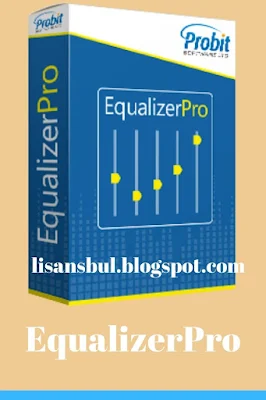
The ten EQ bands are used for targeted tonal adjustment, while Bass Boost provides a more direct way to emphasize low frequencies. The preamp is separate from those bands and changes the overall audio level rather than requiring every equalizer control to be moved individually.
Preset selection is the faster route when a ready-made profile already fits the material. More than 20 presets are supplied, and custom profiles can be saved when a manually adjusted curve works better for a particular listening preference.
The on/off switch is also part of the practical workflow because it makes it possible to compare the equalized output against the untreated sound without deleting the current EQ settings.
Compatibility & Coverage
EqualizerPro is documented as Windows audio software and is intended to apply sound adjustment beyond a single media player's built-in equalizer.
| Area | Current documented coverage | Buyer note |
|---|---|---|
| Windows 10 | Listed by EqualizerPro | Included in the current operating-system list on the official product pages. |
| Windows 8.1 | Listed by EqualizerPro | Included in the current published compatibility list. |
| Windows 8 | Listed by EqualizerPro | Included in the current published compatibility list. |
| Windows 7 | Listed by EqualizerPro | Included in the current published compatibility list. |
| Windows 11 | Not listed on the reviewed official product pages | Do not treat Windows 11 support as officially confirmed from the current published compatibility information. |
| Audio applications | Designed to adjust Windows audio beyond the equalizer of one individual application | Useful when several listening applications need the same general Windows-side sound treatment. |
| macOS | No Mac version documented | No approved Mac purchase option was supplied for this article. |
| Linux | No Linux version documented | The product is presented by its vendor as a Windows music equalizer. |
Features & Capabilities
EqualizerPro has a deliberately focused feature set: frequency adjustment, bass emphasis, reusable listening profiles and overall output control rather than recording, editing or production tools.
10-Band Audio Equalizer
- Ten separate equalizer bands for shaping different parts of the frequency range
- Manual adjustment for listening preferences that are not covered by a supplied preset
- Direct comparison with untreated sound through the main on/off control
- Suitable for building reusable tonal profiles rather than relying only on volume adjustment
Bass Boost
- Dedicated control for amplifying lower-frequency content
- Provides a faster bass-oriented adjustment than rebuilding the entire EQ curve
- Can be used alongside the broader 10-band equalizer workflow
20+ Equalizer Presets
- More than 20 preconfigured listening profiles
- Includes familiar profiles such as Rock and Jazz
- Includes more targeted profiles such as Vocal Booster
- Useful as starting points before making manual adjustments
Custom Presets
- Create personal equalizer profiles
- Save settings for later use
- Build different profiles for music, movies, games or other listening preferences
- Reuse a preferred EQ curve instead of recreating it manually
Preamp Volume Control
- Controls the broader output level separately from the individual EQ bands
- Provides a single control when a general level adjustment is preferable to moving all ten bands
- Works alongside the manual equalizer and preset system
Operating-System-Level Audio Workflow
- Designed to work from the Windows operating-system audio environment
- Avoids depending entirely on the equalizer built into one music or video application
- Can be toggled on or off without deleting the current sound configuration
- Provides a common adjustment layer for different listening situations on the Windows computer
Important Conditions & Limitations
EqualizerPro is intentionally narrower than an audio editor, recording suite or professional production application, and the operating-system information published by the vendor should be checked before purchasing for a newer Windows configuration.
Windows 11 Is Not Listed on the Current Product Pages
The reviewed EqualizerPro home, features and music-equalizer pages currently identify Windows 10, 8.1, 8 and 7. Windows 11 is not included in that published list, so this article does not claim official Windows 11 compatibility.
There Is No Documented Mac Purchase Option
EqualizerPro is marketed as Windows software. No macOS version is presented on the reviewed vendor pages, and no separate Mac checkout was supplied for this article.
It Is an Equalizer, Not an Audio Editor
EqualizerPro changes the way audio sounds during playback. The reviewed feature set does not include waveform editing, multitrack production, audio recording or file-based mixing tools.
Automatic Per-Application Preset Switching Is Not Documented
The vendor describes creating custom presets for different programs and listening preferences, but the reviewed pages do not state that EqualizerPro automatically detects the active application and changes presets without user input.
PC Count Is Part of the License
The approved purchase options are specifically identified for 1, 3 or 5 PCs. Choose the license that covers the number of computers on which the software will be used rather than assuming the 1-PC purchase can be installed across several machines.
Activation May Be Required
EqualizerPro's current license agreement states that the software may require activation and that activation can require a serial number and account registration. Internet access may also be required for some software functions.
Sound Preference Is Personal
The vendor itself describes audio preference as subjective. The useful setting is therefore not a universal preset for every listener; the practical value of the 10-band controls and custom presets is being able to adjust the sound to the material, speakers or headphones and listening preference in use.
Free Trial / Free Version
EqualizerPro provides a 7-day free trial, making it possible to check the 10-band EQ, bass boost, presets and Windows audio workflow before choosing a paid PC license.
| Trial / free point | Current documented status | Purchase relevance |
|---|---|---|
| Trial duration | 7 days | Use the trial on the intended Windows computer before buying when compatibility or sound preference is uncertain. |
| 10-band equalizer | Part of the documented EqualizerPro feature set | Check whether the ten frequency controls provide enough flexibility for the headphones, speakers and applications you use. |
| Presets | 20+ supplied presets plus custom presets | Try both ready-made and custom profiles instead of judging the product from one default sound configuration. |
| Permanent free edition | No permanent free EqualizerPro edition is identified on the reviewed product pages | The vendor promotes the 7-day trial as the pre-purchase evaluation route. |
System Requirements
The current public EqualizerPro pages publish the supported Windows versions but do not provide detailed minimum CPU, RAM, GPU or storage requirements, so those values should not be invented.
| Requirement | Current documented value | Notes |
|---|---|---|
| Operating system | Windows 10 / 8.1 / 8 / 7 | These are the Windows versions currently displayed on the official EqualizerPro product pages. |
| Windows 11 | Not listed | Official Windows 11 support should be verified before purchase if that is the target system. |
| CPU | No minimum CPU specification published on the reviewed product pages | No processor requirement has been borrowed from a third-party listing. |
| RAM | No minimum RAM specification published on the reviewed product pages | The available official pages do not provide a current memory minimum. |
| Storage | No minimum storage requirement published on the reviewed product pages | Use the installer and current vendor information to verify any installation-space requirement. |
| Activation | May require serial-number activation and account registration | This condition is described in the current EqualizerPro license agreement. |
| Internet access | May be required for activation and access to some software functions | The current license agreement does not state that every normal listening session requires a permanent Internet connection. |
Alternatives & Better-Fit Options
No approved SoftKeyRadar alternative links were supplied for this product, so this section does not introduce unrelated internal URLs. The better-fit choice depends on whether the task extends beyond Windows playback equalization.
Audio Editor or Digital Audio Workstation
Choose an audio editor or DAW instead when the requirement is recording, cutting, mixing, mastering or exporting modified audio files. EqualizerPro is focused on playback-side sound adjustment rather than content production.
Driver or Hardware Audio Controls
Check the controls supplied with the sound card, DAC, headset or speaker system when hardware-specific processing, surround features or device-level DSP is the main requirement rather than a separate Windows music equalizer.
macOS or Linux Audio Equalizer
Use an equalizer designed for the target operating system when the computer runs macOS or Linux. The EqualizerPro product pages reviewed for this article document Windows rather than those platforms.
